
By default, File Explorer opens to Quick Access. You can set a folder to show up in Quick access so it'll be easy to find. Just right-click it and select Pin to Quick access. Unpin it when you don’t need it there anymore.
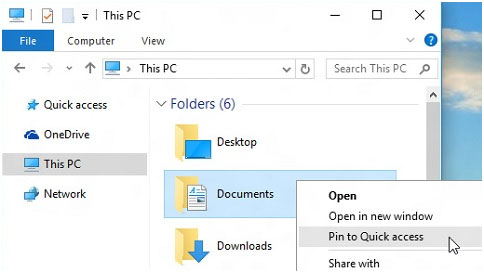
Quick Access shortcuts are a list of recent or pinned locations you may have recently accessed. If there is a PIN off to the right of the shortcut those are saved to always be there for you.
*If updates to folder are made shortcuts will no longer be accessible.
If you want to see only your pinned folders, you can turn off recent files or frequent folders. Go to the View tab, and then select Options. In the Privacy section, clear the check boxes and select Apply. Now Quick access will only show your pinned folders. (If you turn them back on, items you previously removed from Quick access might show up again.)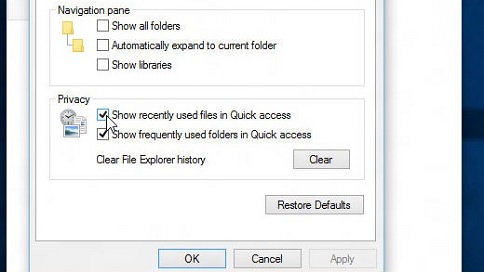
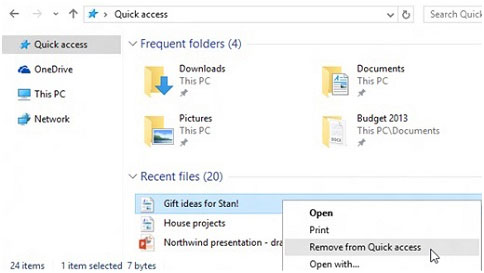
You can also remove items from Quick access. If something shows up that you don’t want to see again, right-click it and select Remove from Quick access. It won’t show up there anymore, even if you use it every day.
Pin, remove, and customize in Quick access - Microsoft Support