
Users can report an email using the PAB from the Outlook App on an Apple device, First click the three dots at the top right of the message, as shown below.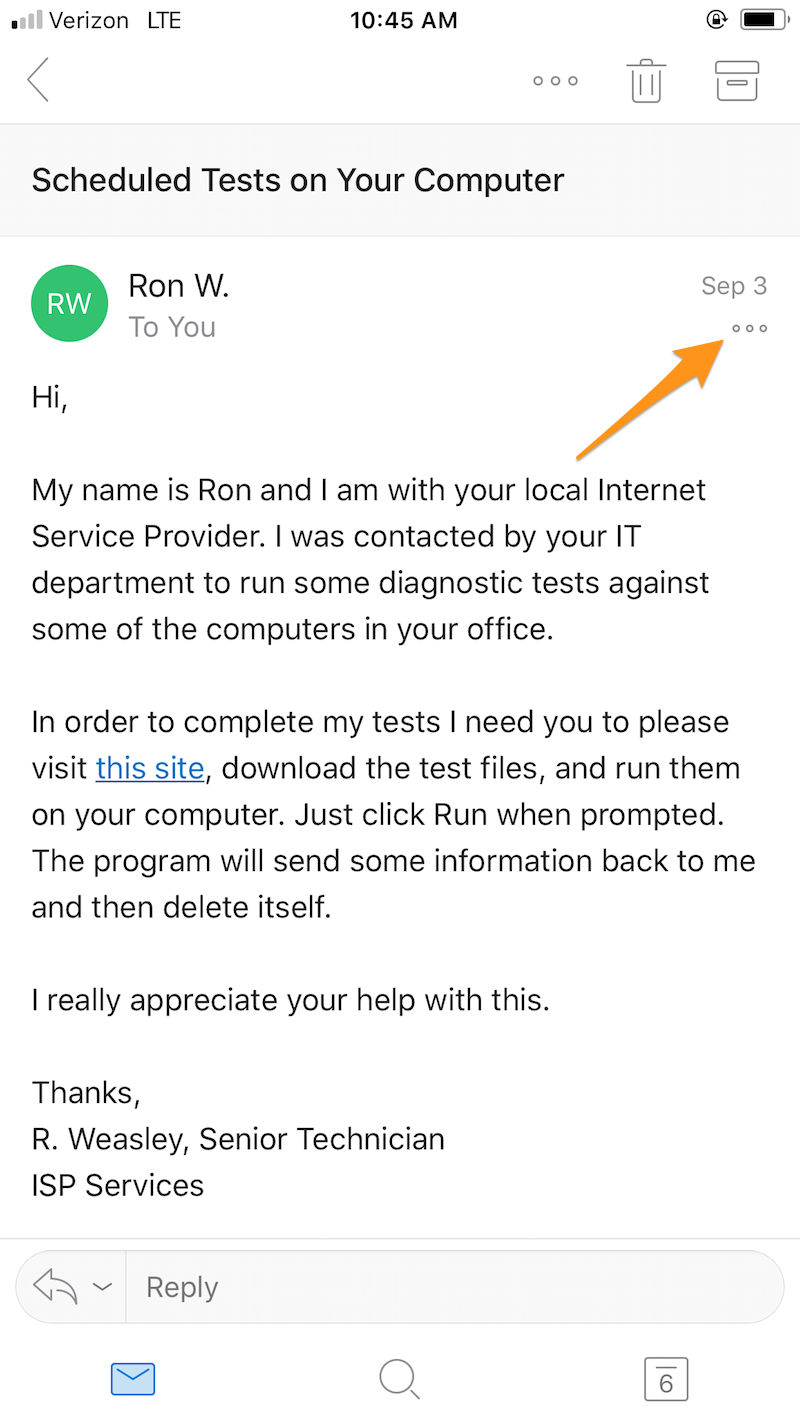
In the Add-Ins section you will see Phish Alert listed under add-ins.
Once you select the Phish Alert add-in, you will be brought to the screen shown below to confirm that they want to report the email. From this screen, you will tap the Mobile Phish Alert button to confirm submission.
After the email has been reported, the message will be sent to the Help Desk for review, as shown below. Click OK to dismiss the message.